
Click X
HeartsNetBoard
4.75.19K Reviews
- Version
- 1.20.1
- Installs
- 5.00M
- Age Rating
- Everyone
Screenshots
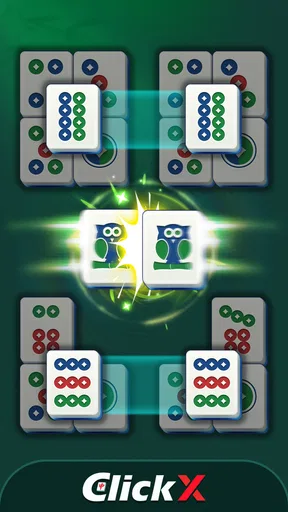
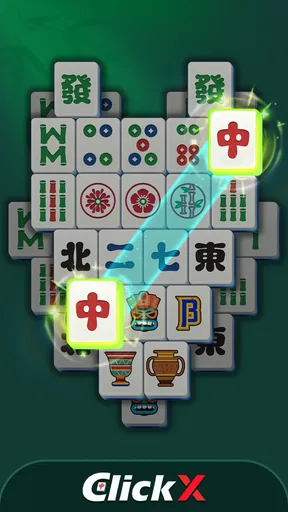
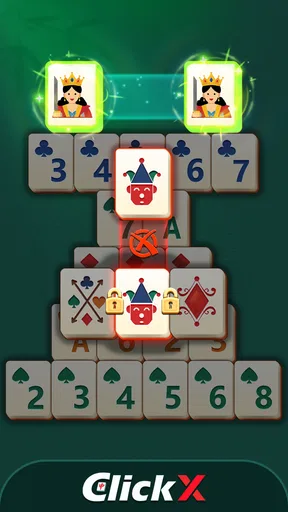
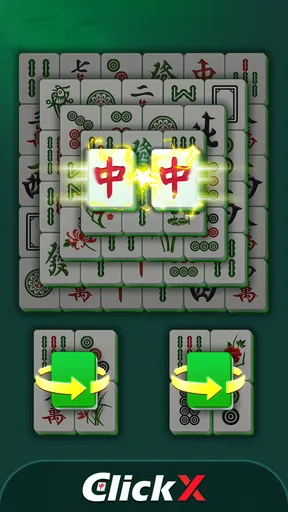
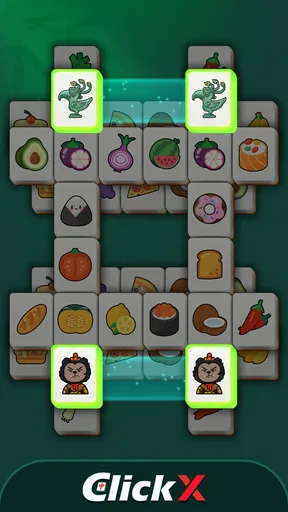
Our Review of Click X
 Analysis by Appyee
I tried Click X as a small, low-pressure mahjong game for the moments when I wanted something quiet rather than competitive. It belongs to the board-game side of mobile gaming, but it does not feel like a long tabletop session squeezed onto a phone. The main appeal is immediate: the tiles are large, the visual layout is easy to read, and the basic activity is clearing matching pieces without needing a complicated tutorial.
That simplicity makes it especially interesting on a shared household device. Someone can pick it up for a short break, play without learning a deep ruleset, and hand the device back without leaving a complicated multiplayer session unfinished. I would not describe it as a social mahjong room or a strategy-heavy puzzle platform. I see it more as an accessible, turn-free board game that fits around ordinary routines.
HeartsNet presents it as a free game for Everyone, with optional purchases ranging from $1.99 to $9.99 per item. It has reached over five million installs and holds a 4.7 average from around seventy-eight thousand ratings, which suggests that its straightforward format has found a sizeable audience. My experience was positive overall, although the same simplicity that makes it welcoming can feel limiting if you want competition, elaborate progression, or a strong sense of personal account ownership.
How Click X works when one device serves several people
When I share a device for a quick puzzle, I find it helps to agree on a simple handoff before anyone taps the board: one person finishes their turn or board, then passes it along. That keeps the game relaxed and avoids another player changing a layout someone was thinking through. It also gives the next person a clean moment to decide whether they want to continue or start fresh.
A useful shared-device game
The best household use case is a phone or tablet that moves between people during the day. One person may use it while waiting for dinner, another may play a few rounds during a quiet afternoon, and a child or older relative may prefer it because the board is less visually cramped than many tile games. Since the core interaction is easy to understand, nobody needs a long explanation before starting.
I found the large tile design more important than it sounds. On a small screen, mahjong games can become tiring when symbols are packed tightly together or when the player has to zoom mentally into every corner of the board. Click X makes the board easier to scan at a glance. That does not remove the need to concentrate, but it reduces the avoidable effort of distinguishing tiny pieces.
There is also a practical advantage to the lack of a required group session. If somebody interrupts a game, the next person is not waiting for a team or opponent. That makes it better suited to a shared device than an online board game built around fixed turns. I would still avoid passing the device around in the middle of a puzzle, because another player could easily alter the board state, but the game itself does not create the same coordination burden as a live match.
What the game asks from the player
Click X is built around clearing tiles, so the player’s attention goes toward spotting available matches and deciding which move to make first. The pleasure comes from gradually opening the board and keeping enough options available. It is a familiar structure, but the presentation matters: the clear tile design lets me focus on the puzzle instead of fighting the interface.
My strongest tip is to avoid clicking the first obvious pair automatically. In layered mahjong layouts, a pair can be useful now but strategically awkward if removing it exposes fewer choices than another move. I found it better to scan for tiles that are blocking several possible matches, then choose the move that opens the most useful area. This is a small habit, but it turns the game from random tapping into a more deliberate puzzle.
A second useful habit is to pause after every few removals. Because the board changes as tiles disappear, the best move is not always visible before the previous pair is cleared. On a shared device, this also helps prevent accidental taps when another person is watching or waiting for a turn. The game rewards calm observation more than fast fingers.
Boundaries before sharing the device
One thing I would establish at home is a simple handover rule: finish a board, or at least agree that the next person may start a new one. That is not a special feature of the game; it is just sensible coordination when several people use one screen. A puzzle can be easy to disturb because a single tap may change the available choices.
I would also keep expectations clear about purchases. The game is free to start, but optional in-app items cost between $1.99 and $9.99 each. If a child uses a parent’s phone or a family tablet, the owner should decide in advance whether purchases are allowed and who is responsible for them. The game’s Everyone age classification makes it approachable, but that rating does not replace a household rule about spending.
For a shared device, I would treat the game as a casual activity rather than a place where each person builds a carefully separated profile. The most comfortable arrangement is to use it for short personal sessions and avoid assuming that every player has an independent history, collection, or set of preferences. If your household needs strict separation between players, a game with clearly defined profiles or account switching would be a better fit.
Coordination without turning play into a chore
Click X works well when coordination is informal. A parent can let a child choose a board during a quiet moment, siblings can compare how quickly they notice a useful opening, and an older relative can play without being pressured to compete. I like that the game can sit in the background of household life instead of demanding a scheduled match.
There is a trade-off, though. Because the game is so self-contained, it does not naturally create a shared objective beyond taking turns with the device. If your family wants a game where everyone contributes to the same round, discusses moves together, or competes through a visible score system, this may feel too solitary. It is better for parallel relaxation than for structured family play.
One practical workflow is to use a short session boundary. For example, I would agree that each person gets one board or one uninterrupted break, then passes the device on. That works better than promising a vague amount of time, because the natural unit of play is a puzzle rather than a long campaign. It also reduces the chance that someone keeps the shared device simply because the next move is always tempting.
Age context and trust
The Everyone rating fits the game’s approachable presentation and uncomplicated board format. I would be comfortable considering it for a broad household audience, especially where the goal is a calm puzzle rather than action, chat, or competitive pressure. The large tiles can also help players who find dense mobile interfaces uncomfortable, although personal eyesight and screen size still matter.
For younger players, I would focus less on whether they can understand the matching rule and more on how the device is managed. The important household questions are who owns the phone, whether purchases are permitted, and whether the child is playing on a shared screen where another person’s session could be disrupted. Those are usage boundaries, not problems with the puzzle itself.
Trust matters in another way: players should agree not to make moves for someone else without asking. In a game this simple, it can be tempting for a bystander to point out a match or tap it directly. That may be helpful for teaching, but it can also remove the satisfaction of solving the board independently. I prefer giving hints verbally and letting the person holding the device decide.
The game’s current version is 1.18.2, and it runs on Android 7.0 or later. That makes it a realistic option for some older Android devices that cannot run newer games comfortably. Still, I would check the actual phone or tablet before planning it as the household game, because an older operating system is only one part of the experience; screen size, responsiveness, and available storage also affect how pleasant a tile puzzle feels.
Where it compares well with other board games
Compared with traditional mahjong apps that emphasize detailed rules, ornate tables, or a more authentic multiplayer atmosphere, Click X is easier to approach. I do not need to learn a regional scoring system before enjoying a session. That makes it a better choice for someone who wants the visual and matching appeal of mahjong-style play without committing to the full game tradition.
Compared with match-three puzzle games, it feels slower and more visual. There is less pressure to react quickly, and the board encourages planning rather than chaining rapid combinations. That makes it a good alternative for a break when I want concentration without frantic animation. On the other hand, players who enjoy constant rewards, dramatic effects, or fast rounds may find it restrained.
Compared with competitive online board games, the advantage is privacy and convenience. There is no need to align schedules with another player, and a household member can stop without disappointing an opponent. The disadvantage is that the experience does not offer the same human unpredictability or social energy. If your main reason for playing board games is conversation and rivalry, a multiplayer alternative will probably serve you better.
Compared with paper solitaire puzzles or a physical mahjong set, Click X removes setup and cleanup. That is valuable on a phone, especially when I have only a few minutes. The physical option remains better for people who enjoy handling tiles, teaching face to face, or building a shared table activity. Click X is the convenient solo version, not a replacement for that social ritual.
Small strengths that are easy to overlook
The first non-obvious strength is how much the large design changes the rhythm of play. I can inspect the board without constantly repositioning the phone, which makes it more comfortable for short sessions in ordinary places such as a kitchen counter or waiting room. It is not merely a cosmetic choice; it supports the game’s relaxed identity.
The second is that the game’s simplicity makes it suitable for demonstration. If someone in the household has never played a digital mahjong puzzle, I can explain the matching idea while they watch the board. There is no need to introduce a complicated menu of powers or a long chain of objectives before the first useful decision. That makes it a gentle bridge into mobile board games.
The third is the way it handles interruptions as a type of everyday use case. A player can stop because a conversation starts or a household task needs attention, then return later without having committed to a live opponent. I would still be careful with the exact board state, but the overall format is much less demanding than a timed competitive game.
The main limitation is the same feature that produces those strengths: Click X does not appear aimed at players seeking a deep strategic system. Once the basic matching flow becomes familiar, some people may want more variation than this focused format provides. I would skip it if you need rich multiplayer, a strong narrative, detailed customization, or a game that constantly introduces new mechanics.
Who should install it, and who should pass
I would recommend it to someone who wants a free, readable board puzzle for short solo sessions. It is particularly suitable for a shared household device where different people want to play independently, without accounts or schedules becoming the center of the experience. It also makes sense for players who enjoy mahjong-style tile clearing but dislike tiny graphics and overcomplicated interfaces.
I would be more cautious if your priority is competitive play. The game’s appeal comes from quiet attention, not from proving that one player is better than another. I would also look elsewhere if you want a very social family game, because taking turns with one puzzle is not the same as playing together in a coordinated match.
People who are sensitive to optional spending should decide their purchase boundaries before handing the device to someone else. The free entry point is convenient, but the presence of paid items means the game should be treated like any other app used by children or on a shared account. A clear household agreement avoids confusion better than trying to resolve an accidental purchase afterward.
My household verdict
After using Click X, I see it as a focused and accessible mahjong-style board game rather than a complete digital board-game destination. HeartsNet has chosen a narrow idea and presented it in a way that is easy to read, easy to explain, and easy to fit into a busy day. That focus is its greatest strength when the household wants calm individual play.
I would install it on a shared device for adults, older children, or relatives who enjoy visual puzzles, provided everyone agrees on handovers and purchases. I would not make it the only family game, because it lacks the social coordination and competitive depth that make group play memorable. For quiet breaks, however, it does its job well.
My final recommendation is simple: choose it when you want a low-friction tile-clearing game that respects short sessions and readable design. Skip it when you are looking for online opponents, elaborate progression, or a game built around separate household identities. As a free board title with optional purchases, a broad age rating, and a large existing audience, it is an easy one to try—but its value depends on appreciating restraint rather than expecting a full mahjong simulation.
Privacy and Permissions
See what permissions an app requests and how it handles your data.
- Location
- approximate location (network-based), precise location (GPS and network-based)
- Wi-Fi connection information
- view Wi-Fi connections
- Other
- view network connections, full network access, control vibration, prevent device from sleeping, Google Play license check, read Google service configuration
Verdict
Strengths of Click X
- Simple interface makes the main controls easy to understand.
- Quick rounds suit short breaks and casual play.
- Lightweight design should run smoothly on many devices.
- Progression encourages repeated play without lengthy sessions.
- Minimal setup lets you start playing almost immediately.
Limitations of Click X
- Gameplay may feel repetitive after extended sessions.
- Limited depth could disappoint experienced players.
- Some features may require watching ads to unlock rewards.
- Touch controls can be less precise on smaller screens.
- Offline functionality may be restricted for certain content.
Other Releases by HeartsNet
View All
Tidy X
Board4.6

Solitaire Y
Card4.4
Similar Picks in This Category
View All
Ludo King®
Gametion4.1

Ludo
Yarsa Games4.6

Tile Master® - Matching Game
Higgs Studio3.6

Checkers Online
CC Games4.6

Dominoes
Loop Games4.7

Chess
Chess Prince4.6
Frequently Asked Questions
What is Click X and what can I use it for?
Click X is an application designed to provide users with a simple way to access its main tools and services from a mobile device. Before downloading it, check the current store description because the available functions may vary by version, region, or account type. After installation, the app’s layout is generally focused on quick navigation and straightforward interaction.
Is Click X free to download and use?
Click X may be available as a free download, but that does not always mean every feature is free. Some versions can include advertisements, optional purchases, subscriptions, or restricted tools that require registration. I recommend reviewing the Google Play Store or Apple App Store listing carefully before installing, especially the in-app purchase section and the developer’s explanation of premium features.
Does Click X require an account or an internet connection?
The requirements can depend on which parts of Click X you want to use. Basic sections may open without signing in, while personalized features, saved information, synchronization, or online services may require an account. A stable internet connection is usually recommended for the best experience, and mobile data usage may apply when Wi-Fi is unavailable.
Is Click X safe to install on Android or iPhone?
The safest way to install Click X is through the official Google Play Store or Apple App Store rather than downloading an unknown APK or modified package. Before installation, verify the developer name, recent update history, ratings, privacy details, and requested permissions. Avoid granting access that seems unrelated to the app’s stated purpose, and keep your device software updated.
What should I check before downloading Click X?
Before downloading Click X, confirm that your device meets the listed Android or iOS requirements and that enough storage space is available. Read recent user reviews because they can reveal crashes, login problems, advertisements, or compatibility issues. You should also review the privacy policy, subscription terms, offline limitations, and whether the current version supports your language and region.
Play our best games!


